Case Study: AI Captions
Context
When you share a photo on Facebook, it performs better when you add a caption. People are more likely to look at it, reshare it, and comment on it. The problem is that many people don't add captions. They're not sure what to say, they're worried it will sound weird, or they'd rather skip the extra step. The Product team wanted a way to generate and add captions to photos automatically.
This presented a number of technical and design challenges. It was hard enough generating captions that made sense with the photo. It was much harder to generate captions that people actually wanted to share.
On top of that, these captions would be pre-applied to sharing suggestions that would appear when you’re scrolling through posts or swiping through stories. In other words, we'd pull a photo the user wasn't planning to share, add a caption they didn't write, and ask them if they wanted to share it. The bar for quality and safety was extremely high.
Part 1: Pre-written captions
Product's initial solution was to create a pre-written list of hundreds of captions and apply them to photos based on limited metadata.
There was some precedent for this approach. When you see a post about someone’s birthday, for example, you’ll see pre-written comment suggestions below it. However, birthday comment suggestions have a known context, and a dozen or so phrases cover 90% of use cases with minor variations. They’re also entirely opt in. Our captions would need to apply to any possible photo.
Going in, I already knew a few things from years of birthday comment data:
Simpler is better. Basic suggestions like "Happy birthday!" far outperformed more complex options like "Thinking of you on your special day!"
Context matters. User research showed that adding context was one of the top reasons people add captions to photos. With only basic metadata, we didn't have much context to work with, but we did have timestamps.
I proposed simple captions that described when the photo was taken, like "Last night," "3 hours ago," or "8:37 PM." This approach relied on known context, added meaning to the photos, and sidestepped issues with tone. Most importantly, it could work on any photo.
The problem is that this approach didn't look like much in a slide deck. Leadership wanted more personality, so we pivoted to captions like "Friday vibes" and "Fighting the Sunday scaries!" These are common phrases, but we couldn't be sure they would match the photos.
The feature died in beta testing.
Part 2: AI Captions on Memories
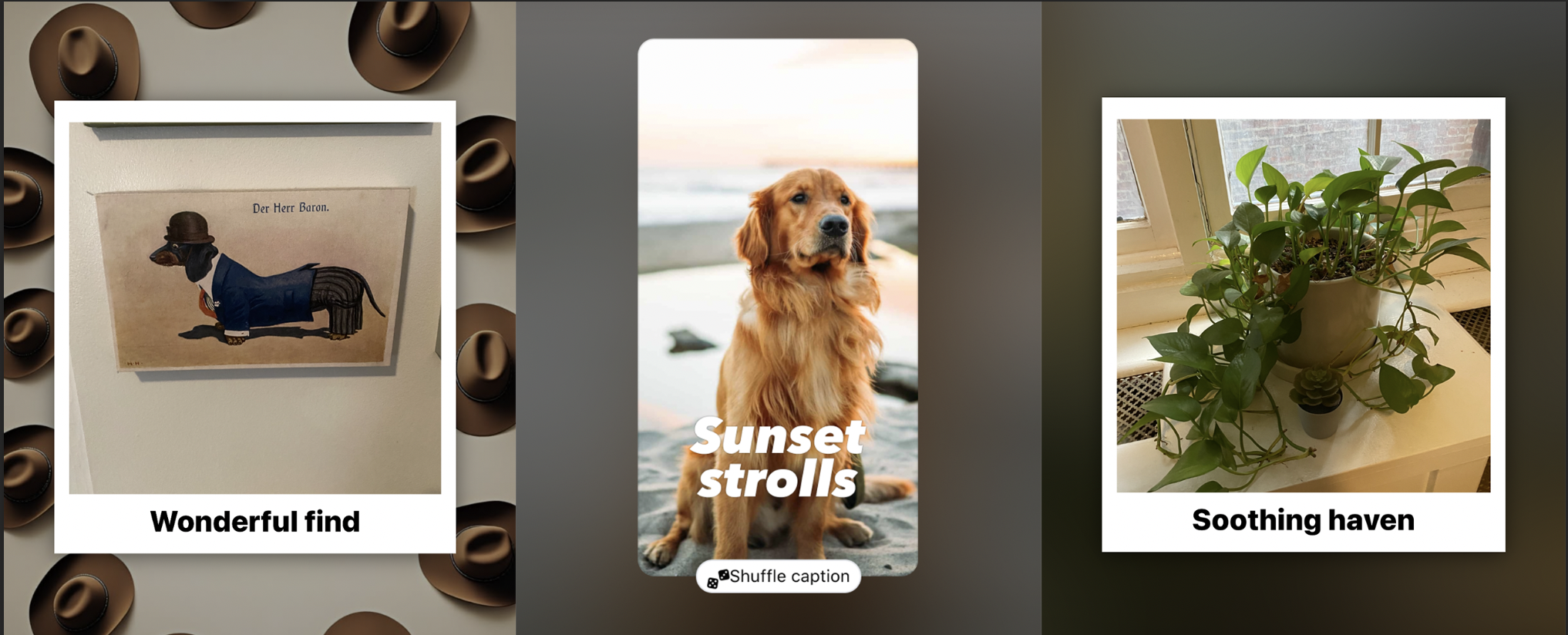
Not long after, the team learned of a new internal AI tool that could summarize images into text, like "A golden retriever, sitting on the sand at a beach, with the sun setting in the background." Leadership saw that these image summaries could be used as input for generating captions with AI. There were a few problems though:
Limited data. We could only analyze photos the user had already shared to Facebook, aka Memories. Our privacy policy also meant the AI would not identify specific people, so there was no way to tell who was who.
Limited insight and accuracy. Our AI could tell what was in a photo, but not what it meant. It could tell if a photo had a dog in it, but not if it was your dog. It was also often wrong, misidentifying children as pets, or siblings as couples.
Limited models. Because we were generating captions on spec, advanced models were too expensive. The image summary AI was also a black box controlled by another team. Our role was to create a separate caption generator.
Sensitive information. The summaries often included info like the age, gender, race, and nationality of subjects. Using it in captions might come off as inappropriate or offensive.
I also flagged a bigger risk: the uncanny valley. Even if we could perfectly predict what a user would say about a photo, it would likely come off as invasive, presumptuous, or creepy.
On top of that, because we were limited to previously shared photos, the project was no longer about getting someone to share something. It was about getting someone to share something again.
Developing the prompt
Over several months, I worked with a team of engineers to develop, evaluate, and test a prompt that could generate safe, shareable captions. I led the work on the caption itself, while engineering led evaluation and testing.
After a lot of experimentation, I landed on six core principles:
1. Ignore sensitive info. Even if accurate, using it adds risk and creep factor.
2. Aim for 5 words max. Shorter captions have mass appeal and are easier to lay out.
3. Keep it light. Inoffensive outputs that would look at home on a postcard.
4. Avoid "see & say" captions. Descriptive captions felt robotic and unnecessary.
5. Aim for "things people say." The goal wasn't perfection, it was to not be weird.
6. Add emoji for flavor. Just one emoji adds a ton of personality without adding risk.

BEFORE: Early captions were long-winded, with obvious mistakes, unnecessary details, and assumptions about relationships.
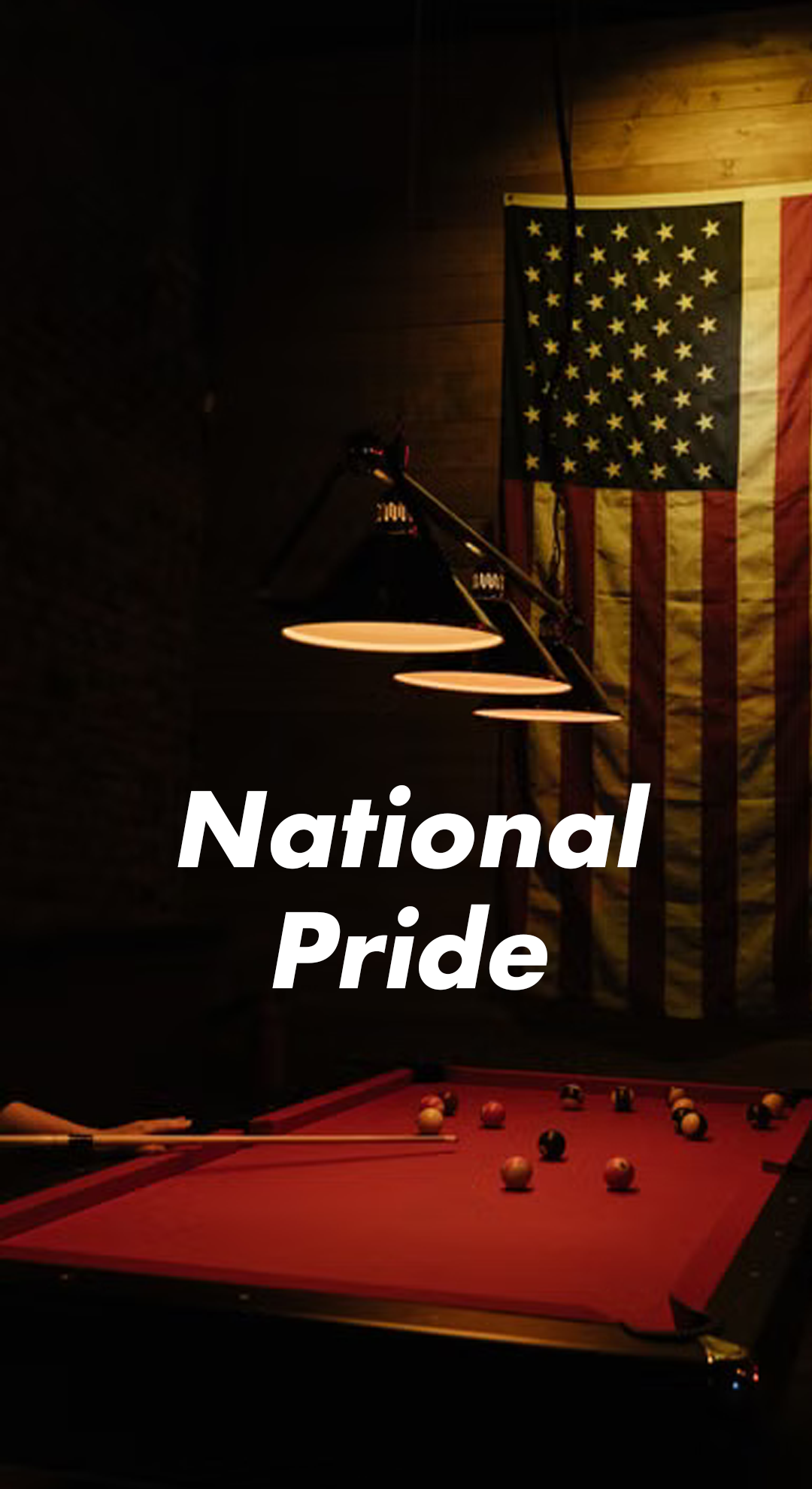
BEFORE: Minor details like a flag in the background would often lead to odd assumptions and problematic captions.

BEFORE: The AI often suggested cringy or outdated phrases.
This suggestion midcard was publicly tested, and performed decently, but did not ship.
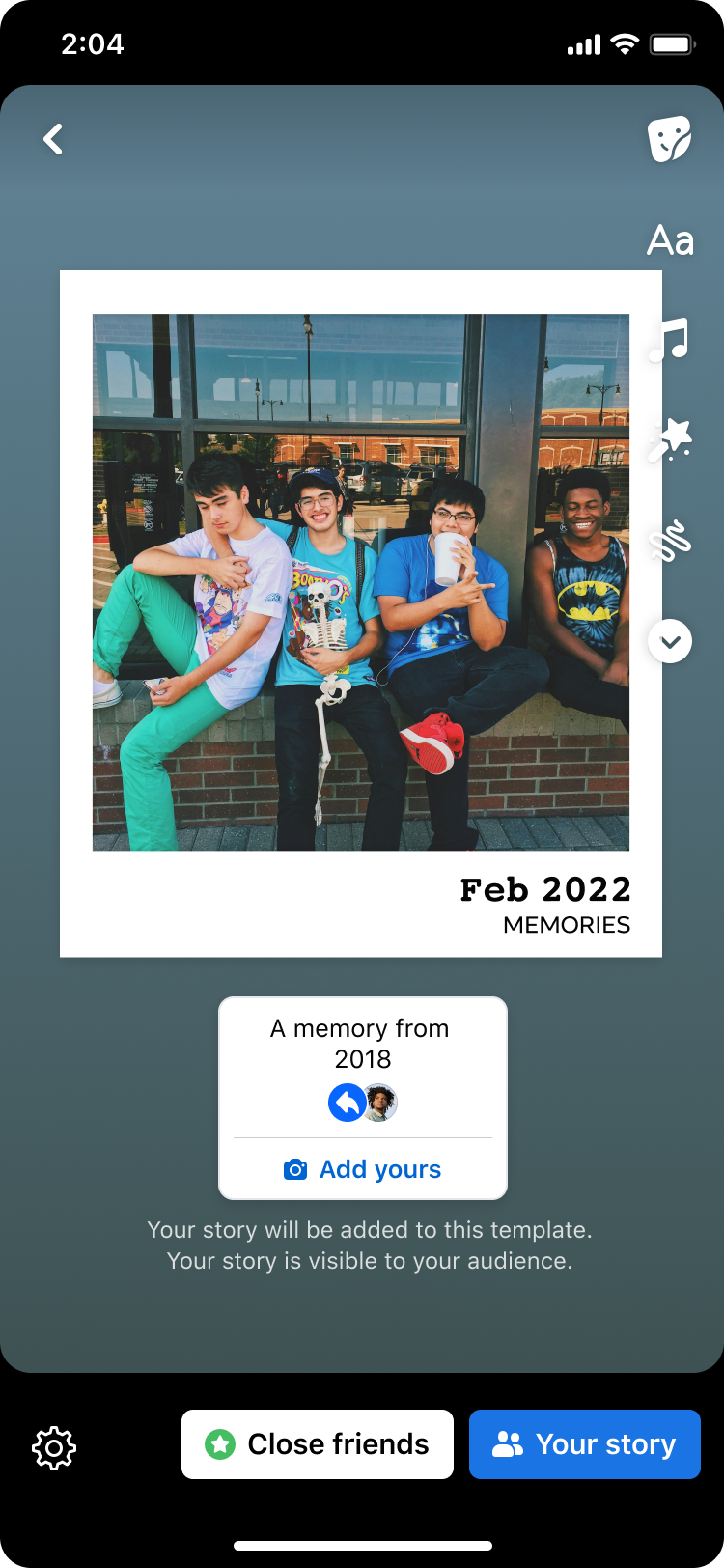
What ultimately shipped was a stripped down Memories sticker based on a date stamp, similar to my original proposal.
Troubleshooting
Because we were limited to lower-cost models, it took some doing to get the AI to cooperate consistently:
It ignored the length limit. I used a "shoot for the stars, settle for the moon" approach, giving it a maximum of 3 words. Even when it overshot, captions stayed short.
It included sensitive info. I put strict instructions at the beginning AND end of the prompt, which our model prioritized. We also added a filter to our ranking model.
Its caption ideas were bad. We added a "tone" field to experiment with different sets of adjectives. Another major lever was giving it different examples of good captions.
Eventually, the prompt was producing reliable, safe results. The outputs weren't exactly mind-blowing, but that wasn't the point.
The feature reached beta testing and performed okay, but not well enough to ship. Ultimately, what we DID ship didn’t use AI at all. Instead, it was a very basic text sticker that simply included the date of the original photo, plus the word “Memories,” a strategy almost identical to my original suggestion for pre-written captions.
Some on the team wanted to try specific, long-form captions that would "wow" the user. Others pointed to the limitation of previously shared photos.
My take: even a perfect caption is not a good reason to share a photo again. People reshare memories because they're nostalgic about them, or the moment is suddenly relevant again. Both are very hard to predict, even with AI in our toolbox.
Product ordered several bold ideas, including adding AI-generated backdrops and captions. I created the prompt for AI captions. It is still in use today on several story midcards.
Part 3: Quality Push
With new leadership, and improved suggestion tech, we took a “back to basics” approach. Users made it clear they didn’t want flash. They just wanted to share quality photos. I began establishing and implementing standards to improve conversion.
Larger images, with dynamic sizing to fill the screen. Data showed that larger images increased shares.
More direct copy, which emphasized the “what” of the card before getting into the “why” and “how.”
Consolidated privacy strings, from 7+ variants down to 3, all fitting on a single line, even on the smallest devices.
After implementing the design and content standards I co-created, we saw a 17.4% lift in publishing rates.
Direct headlines like this weren’t as impressive, but converted better.
Several new styles of cards emerged during this time, but unlike the flash of the past, we focused on high quality basics.
Part 4: Optimization
Story midcards were now driving roughly 1 out of every 10 stories shared on Facebook. To go further, we focused on new themes, better media selection, and optimized designs.
Used smaller fonts and dropped most subheads, further maximizing image sizes.
Further simplified content approach, adopting a “Share a…” format for most headers.
Toned down music UI, adding focus to the media.
The simplified headlines alone led to a 6.8% conversion lift. The approach was soon adopted across all midcards.
Content became dramatically more straightforward and compact.

AFTER: A shorter, less speculative approach meant little chance for error. It also meant a lower risk of the caption accidentally blocking the subjects.
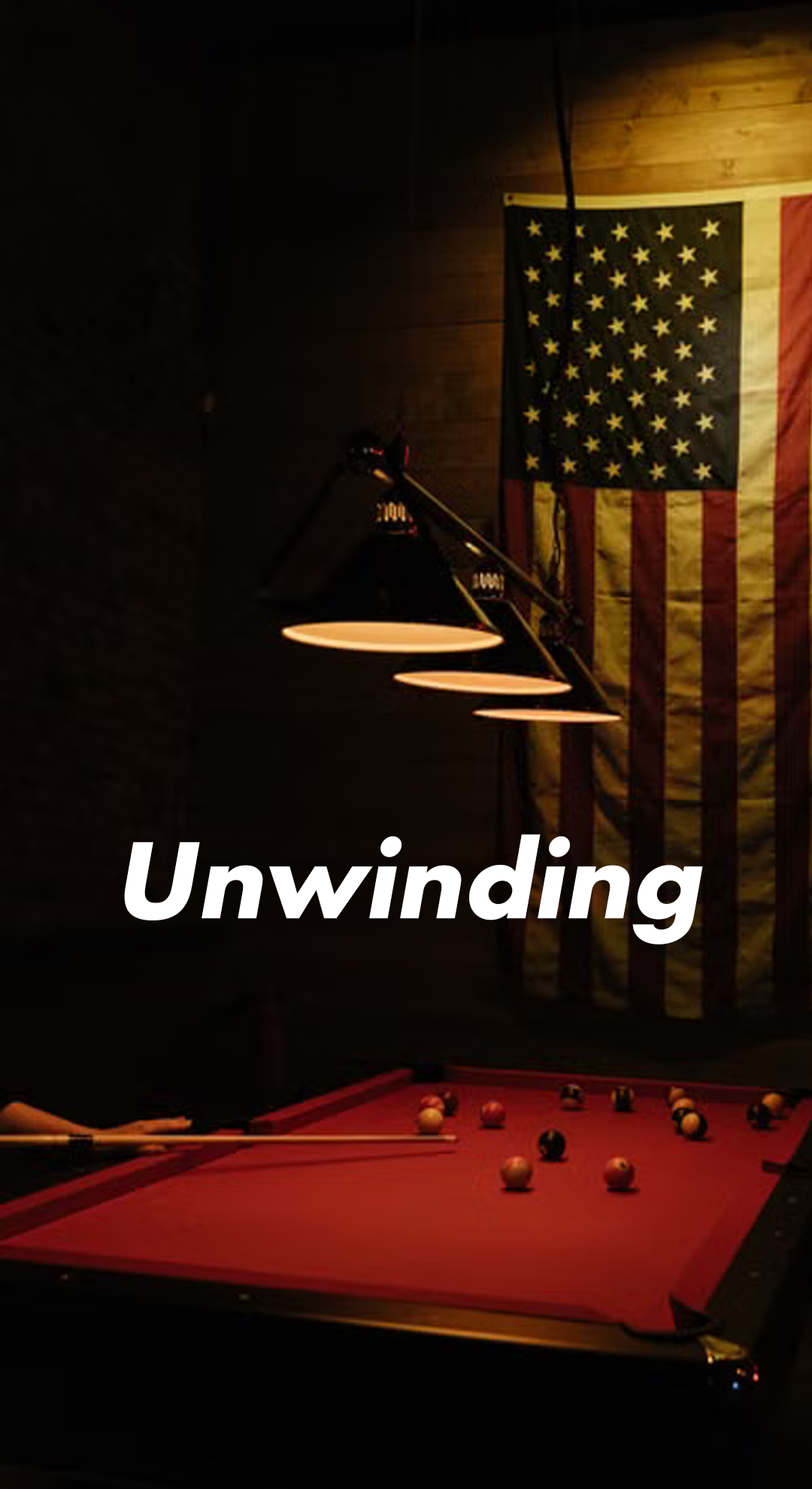
AFTER: Ignoring sensitive info let the AI focus on other data, generating safer, more neutral captions.
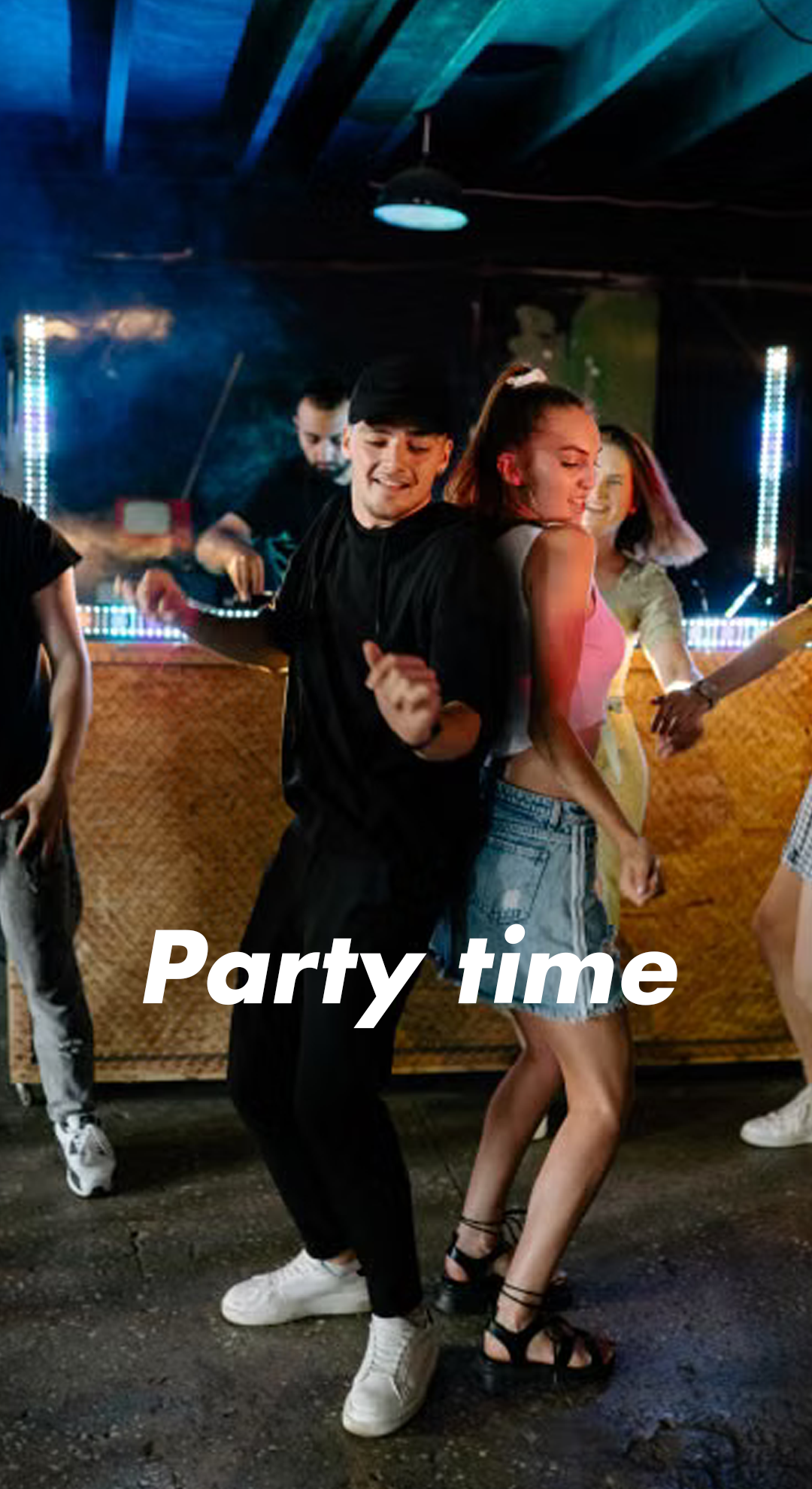
AFTER: Better tone descriptions and examples led to more neutral caption ideas that added context without attempting to speak for the user.
Experimentation continued, but with more restraint and consideration.
Part 5: AI and beyond
By 2026, the team was using AI everywhere. Many failed midcard ideas returned, but with better results. For my part, I used AI to run my own A/B tests, ship bug fixes, and build working prototypes.
Used AI to ship quality fixes like outdated privacy copy.
My prompt to generate photo captions with AI returned, and this time it shipped. Making it work is a whole case study.
Ran an A/B test that convinced top Facebook leadership to change a design standard that dates back to the beginning of the app. I proved that side-by-side CTAs perform best when the primary CTA is on the right.
Around this time, my tenure at Facebook came to an end, but I am proud that I scaled what was once a rough experiment into a sophisticated suite of sharing suggestions that now drive roughly 10% of all stories shared on Facebook.
AI-generated backgrounds returned, but this time we left the photo alone. We also added elements like captions, location tags, and more.