Case Study: AI Captions
Context
When you share a photo on Facebook, it performs better when you add a caption. People are more likely to look at it, reshare it, and comment on it. The problem is that many people don't add captions. They're not sure what to say, they're worried it will sound weird, or they'd rather skip the extra step. The Product team wanted a way to generate and add captions to photos automatically.
This presented a number of technical and design challenges. It was hard enough generating captions that made sense with the photo. It was much harder to generate captions that people actually wanted to share.
On top of that, these captions would be pre-applied to sharing suggestions that would appear when you’re scrolling through posts or swiping through stories. In other words, we'd pull a photo the user wasn't planning to share, add a caption they didn't write, and ask them if they wanted to share it. The bar for quality and safety was extremely high.
Part 1: Pre-written captions

My initial approach was to add neutral captions that described when the photo was taken. Leads rejected this approach.
Product's first idea was to take a pre-written list of hundreds of captions and apply them to photos based on limited metadata.
Pre-written comment suggestions below birthday posts had been around for years. However, birthday comment suggestions have a known context, and a few phrases cover 90% of use cases. Our captions would need to apply to any possible photo.
Going in, I already knew a few things:
Simpler is better. Suggestions like "Happy birthday!" far outperform options like "Thinking of you on your special day!"
Context matters. User research showed that adding context was one of the top reasons people add captions to photos.
With only limited metadata, I proposed simple captions that described when the photo was taken, like "Last night," "3 hours ago," or "8:37 PM." This approach relied on known context, added meaning to the photos, and sidestepped issues with tone. Most importantly, it could work on any photo.
The problem with this approach is it didn't look like much in a slide deck. Leadership wanted more personality, so we pivoted to captions like "Friday vibes" and "Fighting the Sunday scaries!" These are common phrases, but rarely made sense with the photos.
The feature died in beta testing, however, a version of my initial proposal eventually shipped with sharing suggestions based on Facebook Memories. It was just a time stamp plus the word “Memories.”
Part 2: AI Captions on Memories
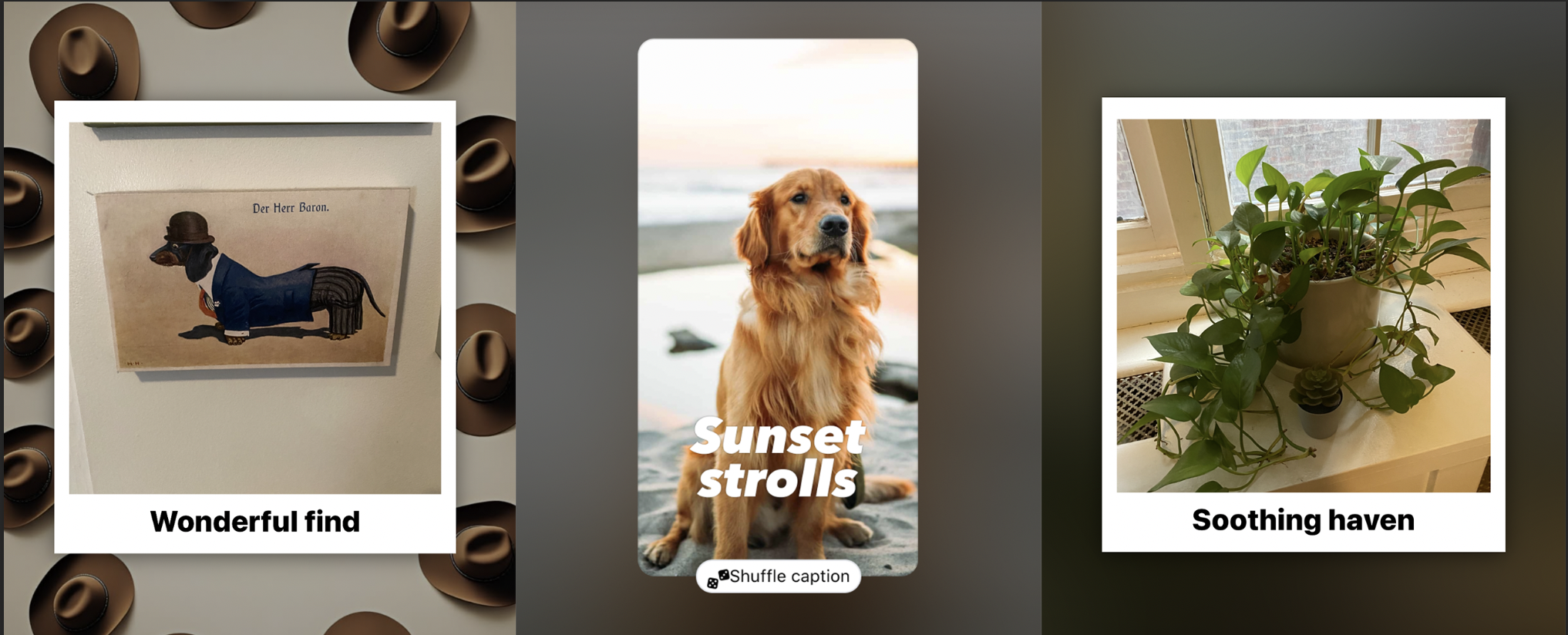
Months later, Product decided to try again with AI. A new internal AI tool could summarize images into text, like "A golden retriever, sitting on the sand at a beach, with the sun setting in the background." The plan was to create a new AI tool that could turn the summaries into shareable captions.
There were a few problems though:
Limited permissions. We could only use photos the user had already shared to Facebook, aka Memories. We also couldn’t ID specific people, so there was no way to tell who was who.
Limited insight. The image summary tool could detect a dog, but it couldn’t tell if it was your dog. It also made mistakes, misidentifying children as pets, or siblings as couples.
Limited models. To save on compute costs, we were stuck with very basic AI models. Also, the image summary tool was controlled by another team, so we couldn’t tinker with it.
Sensitive information. The summaries often included info like the age, gender, race, and nationality of subjects. Using it in captions might come off as inappropriate or offensive.
I also flagged a bigger risk: the uncanny valley. Even if we could perfectly predict what a user would say about a photo, it would likely come off as invasive, presumptuous, or creepy.
Ultimately, the biggest challenge was being limited to previously shared photos. It’s one thing to get someone to share something. It’s much harder to get someone to share it again, especially without insight into its significance as a memory.
Developing the prompt
Over several months, I worked with a team of engineers to develop, evaluate, and test a prompt that could generate safe, shareable captions. I led the work on the caption itself, while engineering led evaluation and testing.
I landed on a few core principles:
Ignore sensitive info. Even if accurate, using it adds risk and creep factor.
Keep it light. The goal was to sound like a postcard, not commentary.
Aim for 5 words max. Shorter captions have mass appeal and are easier to lay out.
Avoid "see & say" captions. Descriptive captions felt robotic and unnecessary.
Aim for "things people say." The goal wasn't perfection, it was to not be weird.

BEFORE: Early captions were long and full of obvious mistakes, unnecessary details, and odd assumptions.
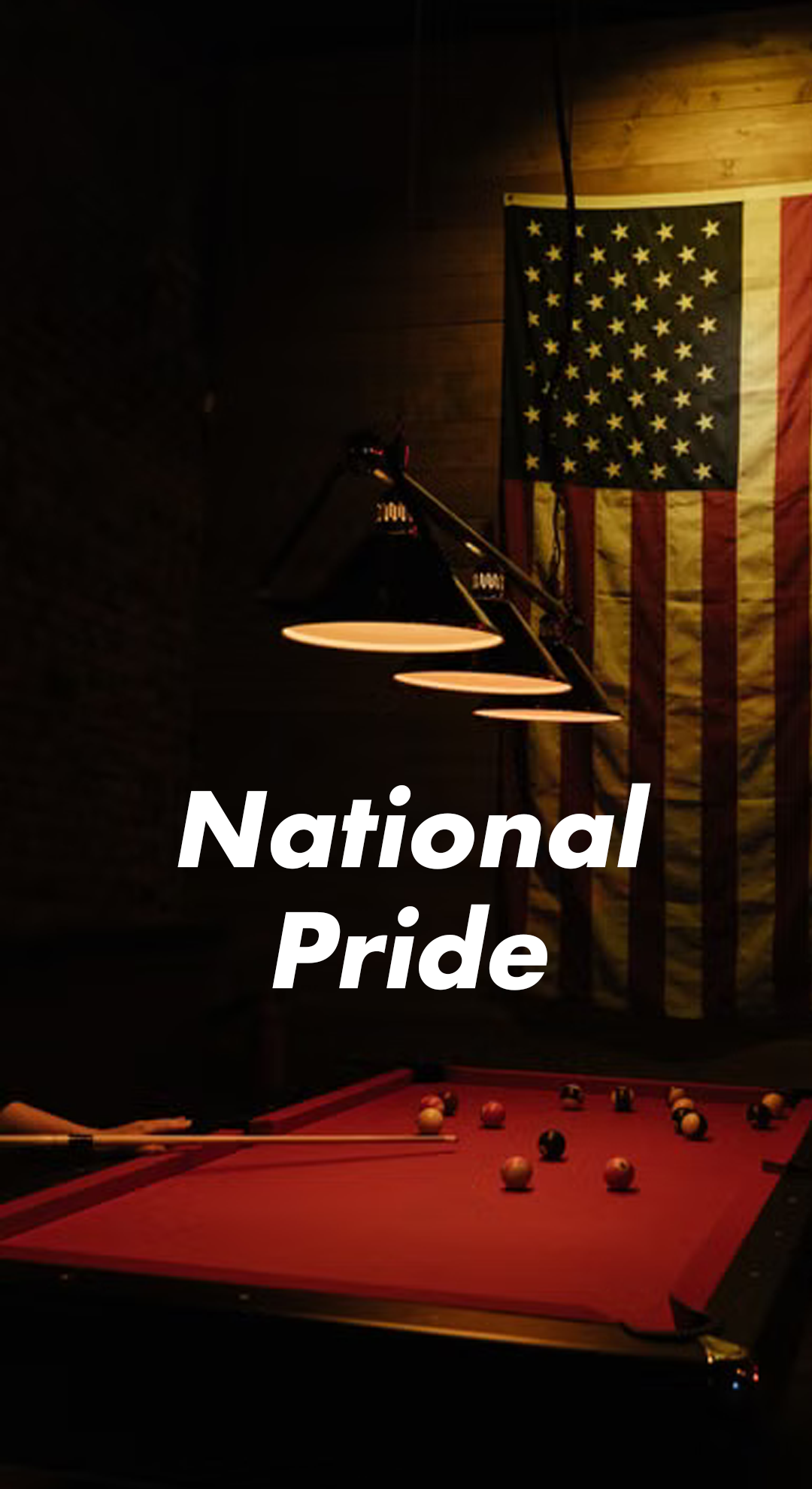
BEFORE: Details like a flag in the background would often lead to problematic captions and odd assumptions about identity.

BEFORE: The AI often suggested cringy or outdated phrases.
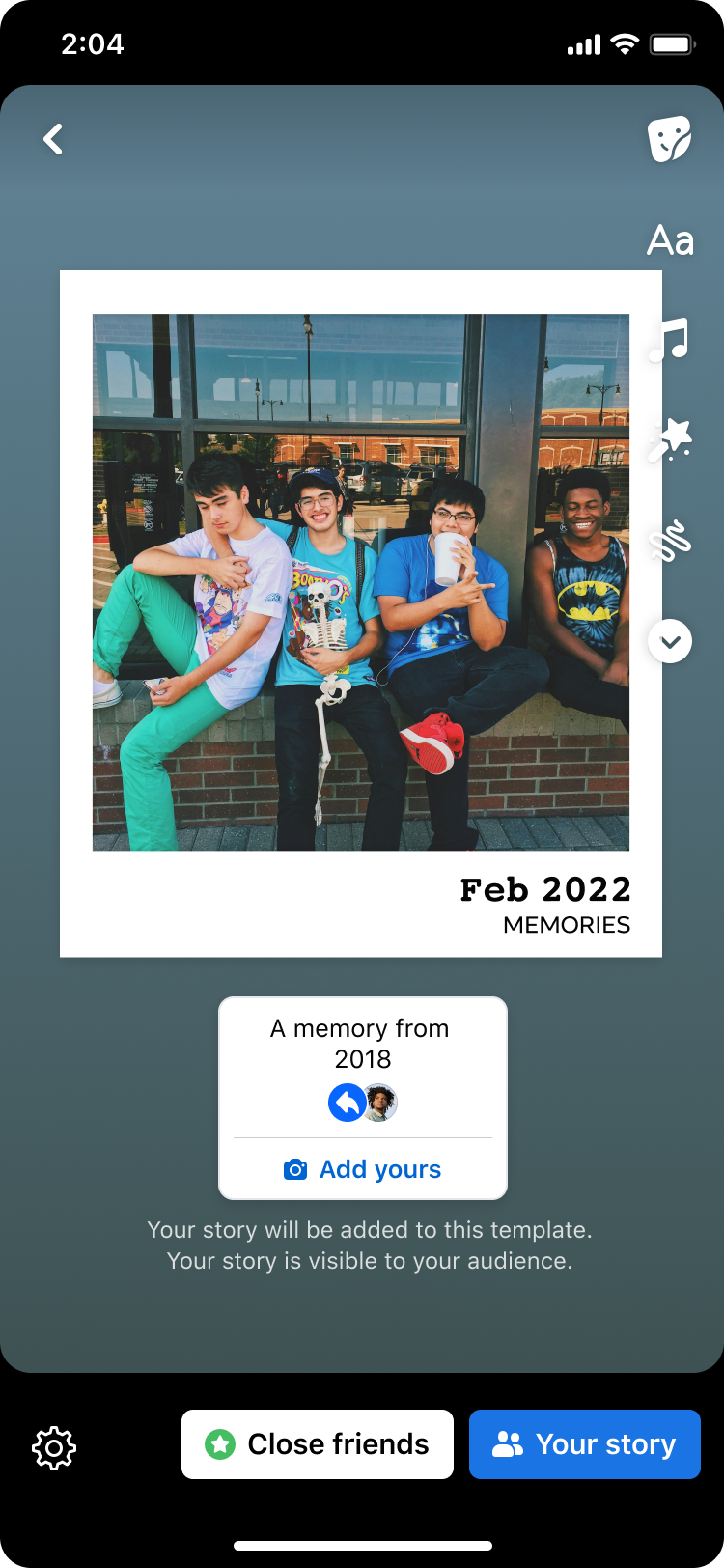
Later, we used an almost identical approach on sharing suggestions based on Facebook Memories, to great success.
This version relied on Facebook Memories for photos. It tested, but didn’t ship. Later, a version that used photos from the user’s camera roll did.
For a while, the concept of using AI to automatically caption photos went dormant, until one day it became a hit. A few things changed to make this possible:
Better permissions. Millions of users had now given us deeper access to their camera roll photos, so we could analyze photos that hadn’t been shared yet.
Better AI models. We now had access to more advanced AI models, which were cost prohibitive in the past.
More experience with AI. Leadership no longer expected AI to work miracles. Meanwhile, users had grown more accustomed to AI experiences.
All this meant that we could generate better, more relevant captions. It also meant the stakes were lower, since we didn’t have to worry about the significance of memories. The bar to clear was no longer “make this worth sharing again” and was now “take this thing I was going to share, then make it just a little bit better.”
To adapt the prompt to camera roll photos, I only made minor changes:
Loosened restrictions. Unlike the old AI models, the new ones were obedient to a fault. This meant adjusting the length limits and instructions to be more flexible.
Updated tone and examples. I replaced tone descriptions like “nostalgic” and updated the sample captions to reflect more recent media.
Overall improvements. A better AI model required less hand holding, so we were able to shorten the overall prompt. This meant better, more efficient results.
Troubleshooting
The cheap AI model we used was prone to mistakes:
It ignored the length limit. To fix this, I used a "shoot for the stars, settle for the moon" approach, giving it a maximum of 3 words. Even when it overshot, captions stayed short.
It included sensitive info. To fix this, I put strict instructions at the beginning AND end of the prompt, which our model prioritized. We also added a filter to our ranking model.
Its caption ideas were bad. Over countless iterations, I tweaked the tone descriptions and example captions, which could change the outputs without adding new issues.
Eventually, the prompt was producing safe, shareable results. The captions weren't exactly mind-blowing, but that wasn't the point.
The feature reached beta testing and performed okay, but not well enough to ship. Some on the team wanted to try specific, long-form captions that would "wow" the user. Others pointed to the limitation of previously shared photos.
My take was that even a perfect caption is not a good reason to share a photo again. People reshare memories because they're nostalgic about them, or the moment is suddenly relevant again. Both are very hard to predict, even with AI in our toolbox.
Part 3: Adapting to Camera Roll Photos
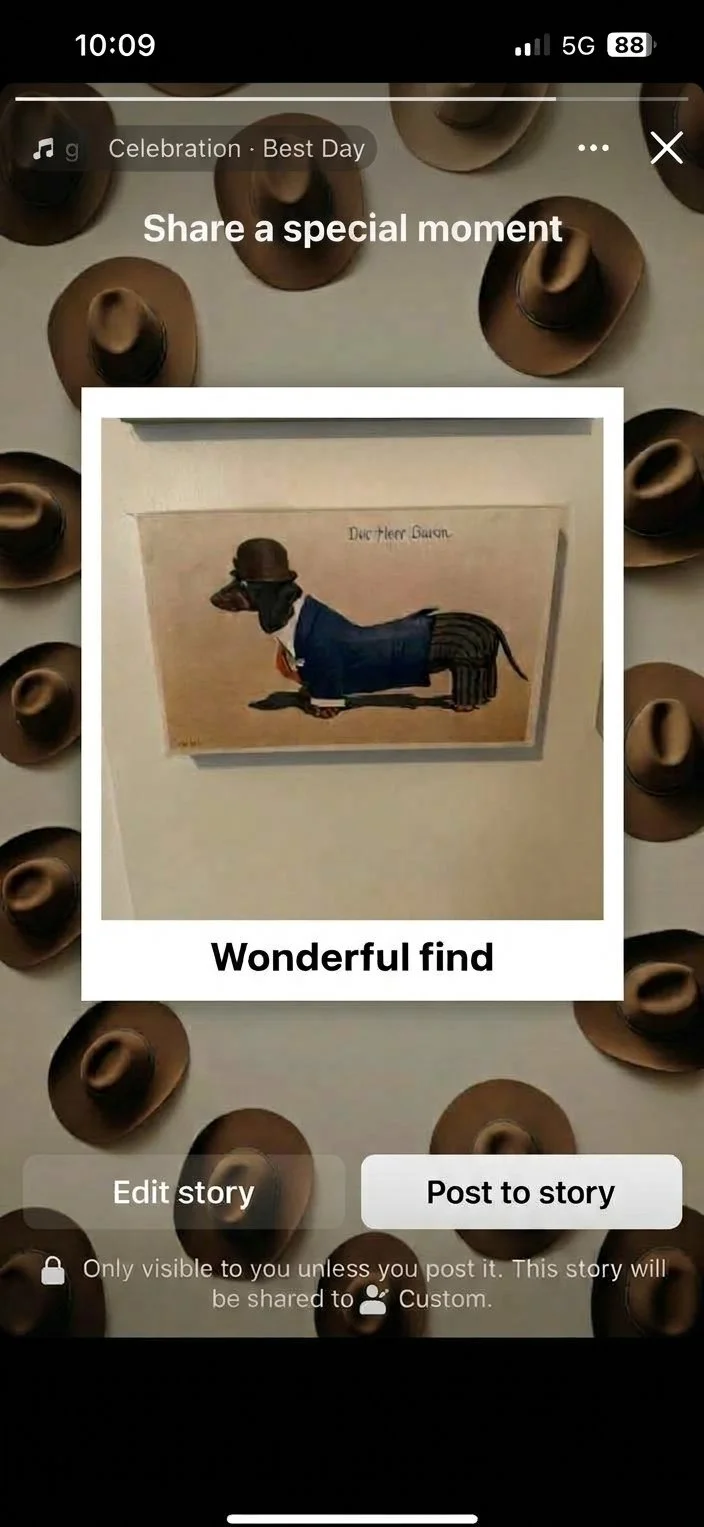
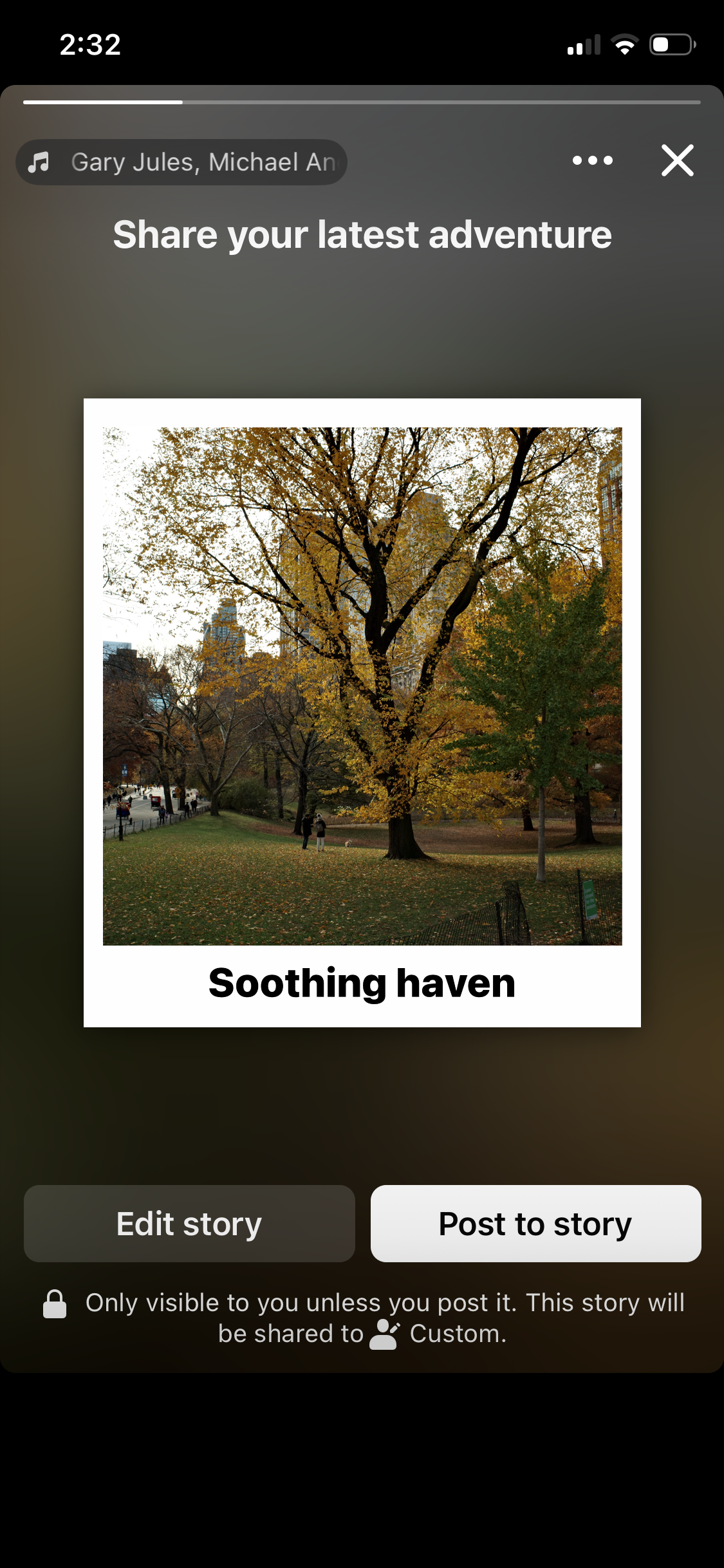
Here are two examples of captions that were generated by my AI prompt. Though they don’t look like much, my short, light approach outperformed alternatives.
Outcome
It tested, and immediately showed traction, with double digit lifts to conversion rates.
Based on its success, the prompt was quickly added to several surfaces. Though it started as a feature for Facebook Stories, it was quickly added to Facebook posts. Not only that, it was included in a number of different sharing formats, including Then & Now, one of our most popular sharing templates.
Notably, my stance on length, which I had to fight for, was validated beyond even my own expectations. The best performing captions were just around 15 characters. Despite this, Engineering eventually chose to test their own approach, with sentence-length captions that attempted to guess what the user themselves would write. As I predicted, users didn’t like it, and complained that the captions were cringy, outdated, and overly speculative.
In the end, my simple, safe approach to captions was crucial. By leaning on known context, and avoiding speculation, we were able to generate captions that wouldn’t weird people out. The data proved it. Crucially, we didn’t have any reports of offensive suggestions, which was our biggest concern going into the project.
*Please note that many of the mocks in this case study are not real-world screenshots. I put them together for illustrative purposes.

AFTER: A shorter, less speculative approach meant fewer errors. It also made the captions easier to layout on images.
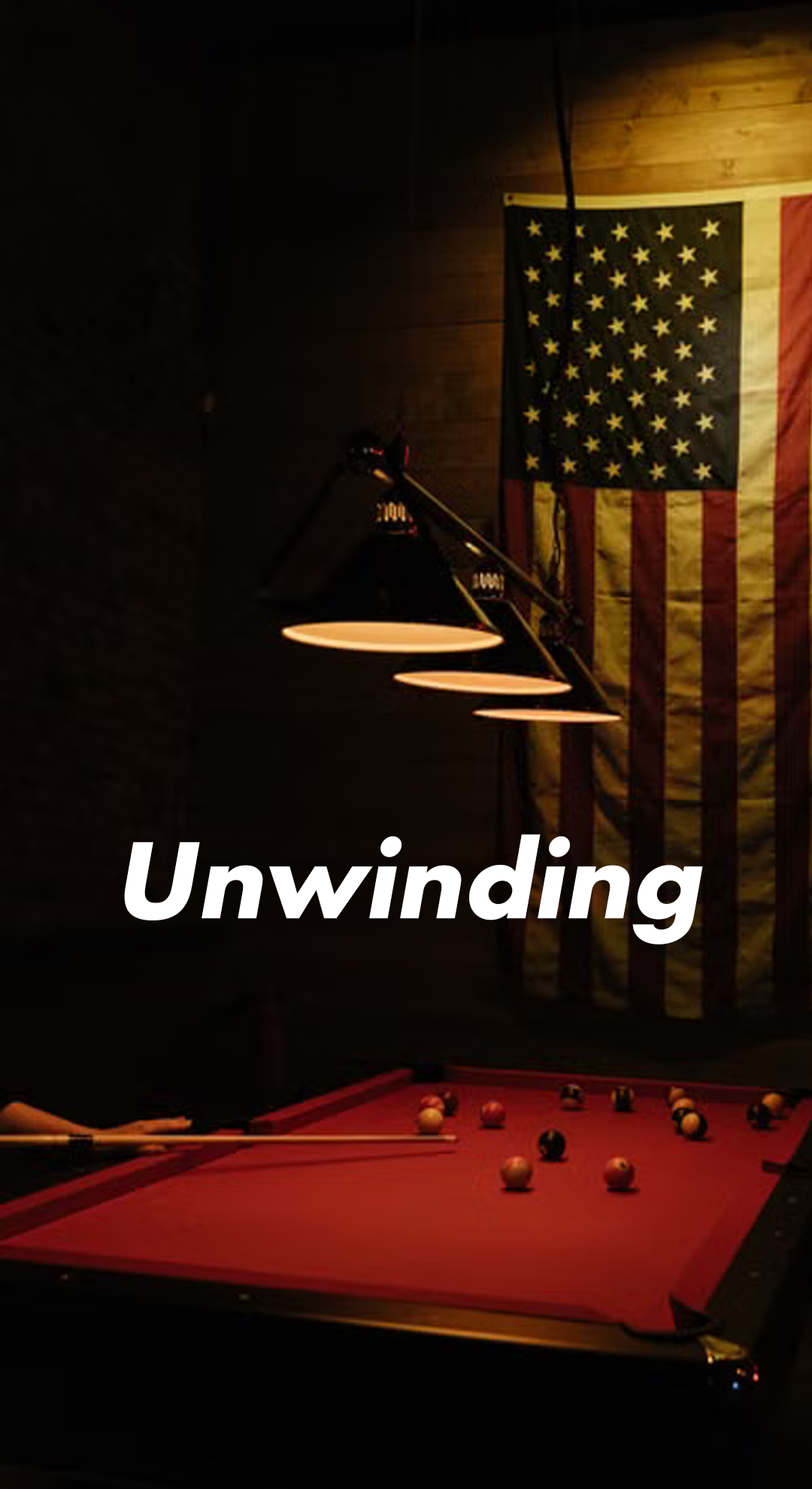
AFTER: Ignoring sensitive info let the AI focus on more relevant info, generating safer, more neutral captions.
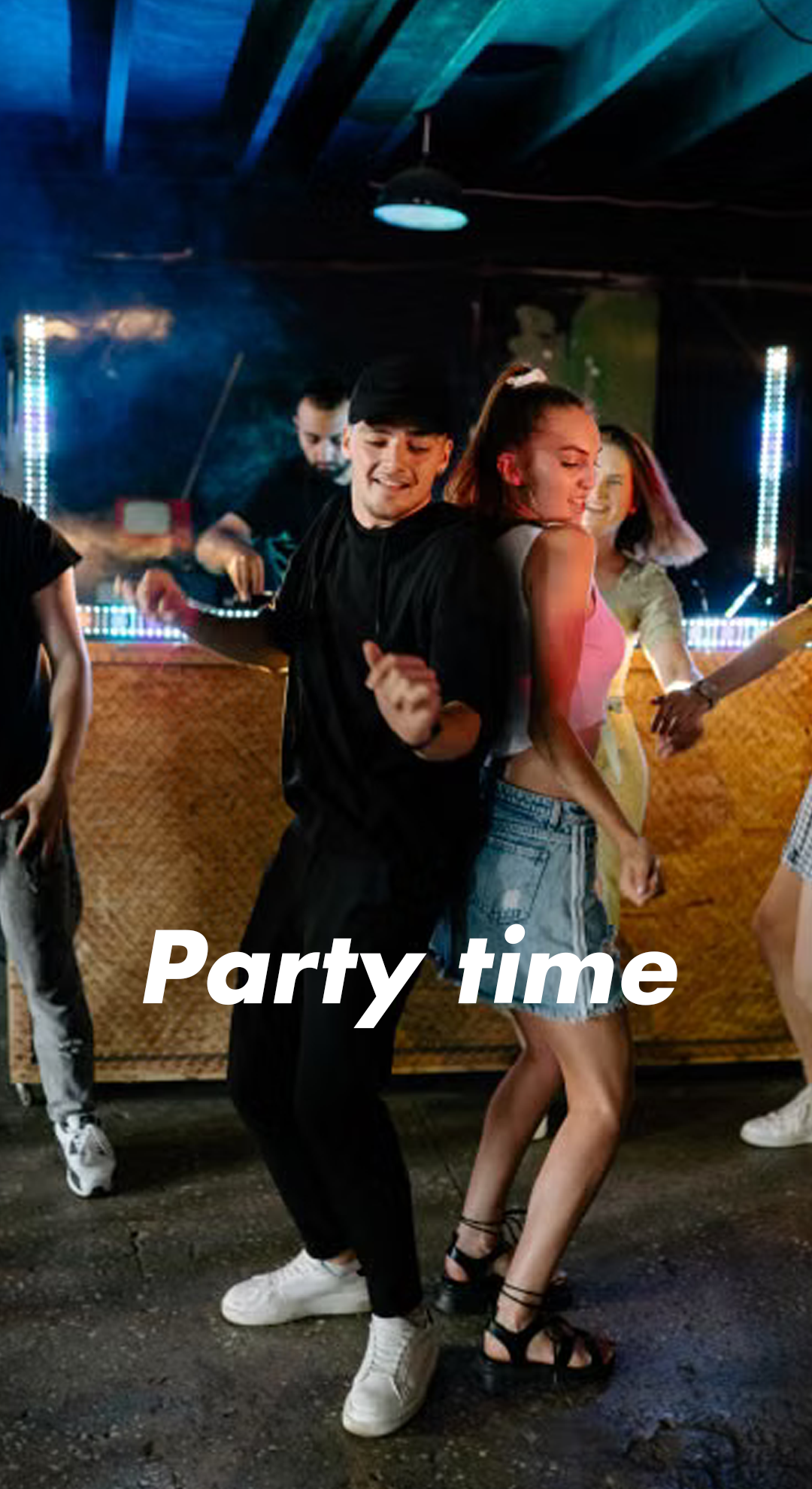
AFTER: Better tone descriptions and examples led to caption ideas that added context without speaking for the user.